Getting Started
Register Your Self-Hosted License
To access the features of Sidecar CX, a valid license is required. The available features and transaction limits depend on your subscription plan, which you can change at any time.
For details, see our current pricing plans.
A valid Sidecar CX Cloud account in good standing is needed to retrieve a license key. Your self-hosted installation will check daily for a valid license, so please ensure network permissions allow this check.
How to Find Your License Key
- Log into your account on the Sidecar CX Cloud platform as an admin.
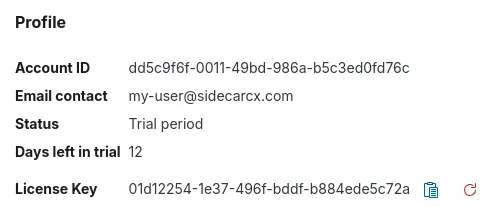
- Navigate to Account Settings.
- In the
Profilesection, find yourLicense Keyand copy it to your clipboard. This key will be used in your self-hosted application.
How to Add Your License Key in the Self-Hosted Application
- Log into your account on the Sidecar CX Cloud platform as an admin.
- Navigate to Account Settings and select
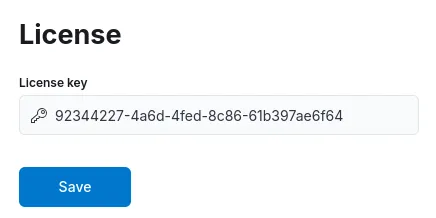
License. - Paste your key into the
License Keyfield and clickSave. If successful, aLicense savedtoast message will appear.